“I wanted to thank you for creating Curio.
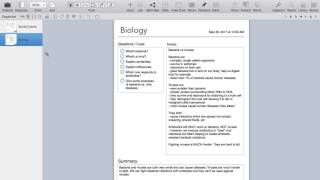
While preparing for the most difficult board exam of my life, I was overwhelmed by the volume of material and needed a way to visualize my notes without copy-pasting or locking them inside a single app. Finding Curio was a turning point—it became a lifesaver and played a key role in helping me pass the first USMLE exam.
Curio’s seamless integration with DEVONthink has been invaluable. Being able to sync and render notes and multimedia without exporting, edit everything fluidly across devices, and reuse notes depending on my focus has made an enormous difference in how I study.
Although Curio was designed for many use cases, for obsessive physicians like myself, it’s simply unmatched.”
“Like many musicians, I earn a living through a combination of gigs – a lot of them. Each has its own clients, specs, deliverables and deadlines, none of which can negatively impact the others. Curio is my secret weapon for staying sane and on deadline.
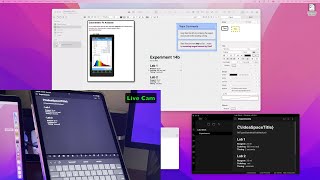
I write music for several TV/film music publishers, using Curio to track creative briefs, file specs and due dates. I write music descriptions and metadata for one such publisher, exploring SEO strategies and tracking deadlines in Curio. I teach music tech for three different colleges, using Curio to develop lesson plans, collect and annotate screenshots, and create flyers to promote my courses. I write and administer arts grants, which obviously involves research, writing and project management.
And I love to design and diagram experimental-electronics performance setups. Curio's sticky lines are the bomb for depicting cables and signal flow!”
— I've had Curio since 2005 and don't know what I'd do without it.
“I am a consultant, senior IT advisor to several Federal agencies. My work involves supporting Federal executives in their major IT service contract procurements, IT strategy and policy, and business operations. A normal week includes juggling work on 5 or 10 ongoing projects for my clients. My constant sidekick is Curio.
I use Curio to brainstorm and plan work, outline and create deliverables, analyze problems, and store documents for each of my projects. There a are a handful of apps in my Dock that get opened first thing in the morning and closed last thing at night. Curio is at the top of this list. Though the term productivity app is well overworked, in Curio's case it is perfect.
Without Curio I wouldn't be productive. It's as simple as that.”
— Curio owner since 2008
“The power and freedom offered by Curio is unparalleled and particularly useful to visual thinkers and those working on, or managing, complex projects.
In my work as a manager overseeing a large portfolio of independent complex projects, I can capture everything I need easily into a means by which I can quickly access relevant information about a specific project at any time — including all of the project's current and historical information as well as any other notes or contextual material I collect that are relevant to the project along the way. I can track progress on activities for the project or for the entire portfolio easily.
As a mentor for a high school robotics team that competes annually in the FIRST Robotics Competition, Curio serves me well as a place to organize and create many of the things we need to do with its power and integration capabilities - brainstorming, strategy, robot design options, references to software and hardware material, schedule, ... you name it!”
— Curio owner since 2010
“Lists in compositions, side by side with text boxes, like dogs and cats living together without being a sign of the end times!
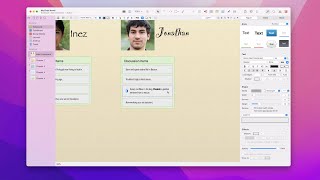
Right now, I'm planning a story with short lists of what happens in each subdivision of the story. Those lists are in the left column of a composition. The right column holds synced text figures with notes about people, places, and things. Text boxes spanning both columns delimit the story subdivisions.
Whatever else Curio is, it is unquestionably the world's strongest outlining tool, ever.
Now I just learned I can paste a synced text figure into the body of an index card, producing collapsable synced figures in a composition, saving real estate as needed. Is there no end to these new powers?”
— Curio owner since 2019
“Curio is one of only a handful of keystone apps in my daily workflow. Whether it be to develop lecture notes, brainstorm ideas, or administer the big picture of my GTD life, Curio is the point guard in the team of tools that I use.
It is truly the most flexible idea board that I have found to pull information together in a variety of ways: mind maps, lists, notecards, and pictures are my go-to displays. Put those together on pin boards or stacks, then give them tags, priorities, and scheduling dates. Wow!
Folks may say, when you have a hammer, everything is a nail. I would say, when you have Curio, you have every tool you might need to put an idea together from start to end. It fits everything.
And the support is top-notch, whether via direct email or through the forums.”
— Curio owner since 2010
“As a professor, I need a way to gather and organize the various materials for my classes in one place; Curio offers the best solution for doing so. I begin with the Templates feature to map out the format for common documents I use for class: lecture notes, essay prompts, group projects, reading notes. Next, I use the Organizer panel to create folders for each type of document as well as for class texts. I then begin to populate the folders. Curio's gracefully manages a wide variety of sources, including YouTube videos, webpages, PDF files, as well as images.
Once the materials are in place, I shift my attention to creating the content for the class—writing assignments, drafting notes, preparing schedules. Here again, Curio shines and allows me to house the necessary text documents, spreadsheets, and presentations within Curio itself. Many programs that attempt to be all things to all people do nothing very well; using them requires compromises and kludges. Curio is that rare exception: a program that does most things and that does all of them much better than one could hope; using it encourages clarity and elegance.”
— Curio owner since 2008
“I have used Curio to run my practice as a freelance lawyer for the last 7 years and have become totally dependent upon it to organise the hundreds of pages of documents which I need to come to grips with on a daily basis.
In my experience, Curio provides the only viable way in which to organise, navigate and cross-link between PDF documents and it has allowed me to run an entirely "electronic" practice, both outside and inside the court room. No other software program has come close.
I am thrilled by the continued commitment of Zengobi to refine and expand upon the capabilities of this wonderful program.”
— Curio owner since 2011
“I use Curio to manage my major projects, and it is an amazing note taking, organization, research, and presentation program, by far the best I have ever used.
The whiteboard idea space format offers an amazing variety of tools to layout information, in lists, mind maps, photo galleries, diagrams and much more. I am a visual person and Curio meets my needs perfectly.”
— Curio owner since 2011







 Software of the Month: Curio